Do You Really Need a Monthly Bookkeeper with All This New Automation? Here’s the Truth
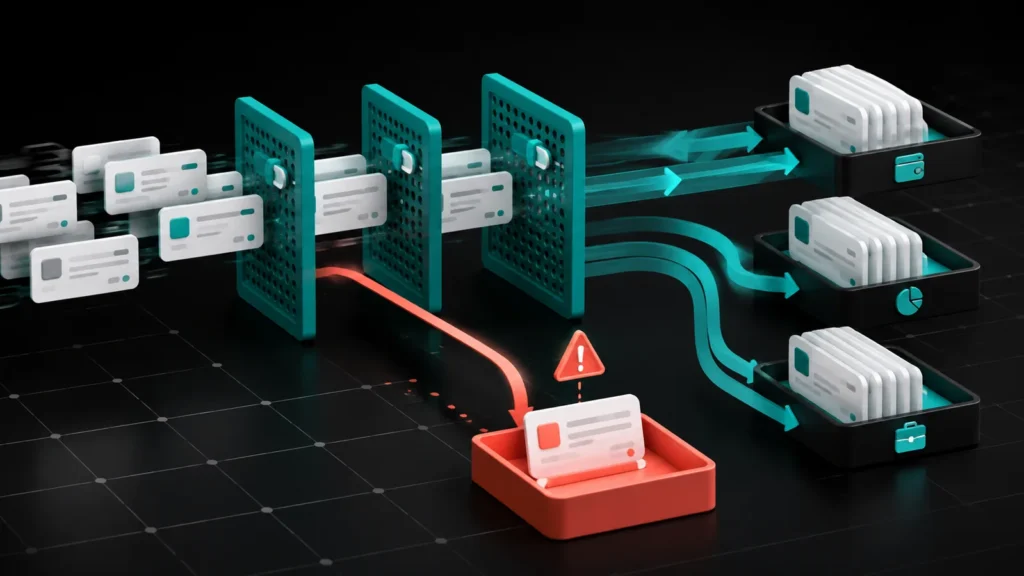
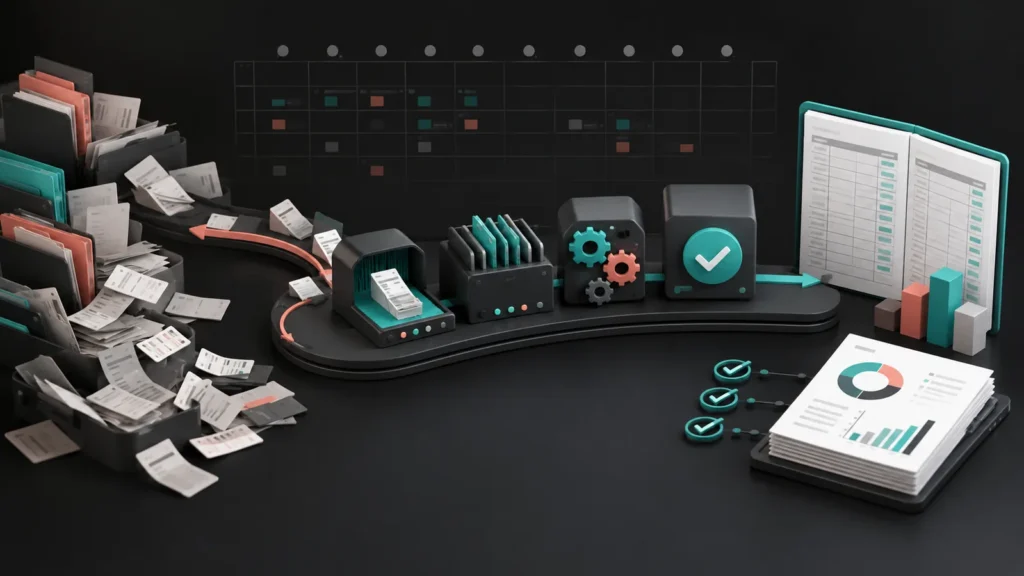
Home Bookkeeping Crypto Tax Payroll About Resources Blog Contact Client Portal Get Started ☰ Bookkeeping Do You Really Need a Monthly Bookkeeper with All This New Automation? By Jamie Waters • May 2026 • Bugaboo Bookkeeping QuickBooks automation can help, but it cannot replace human review, reconciliation, and tax-ready financial oversight. If you’ve logged into QuickBooks Online lately, you’ve probably seen the banners promising that automation will do your bookkeeping for you. It sounds great. Connect your bank, click a few buttons, and your books are done. But here’s the reality we see every day at Bugaboo Bookkeeping: automation is a useful tool, but it is a terrible boss. For a real business, your books are not just a list of transactions. They support tax returns, loan applications, cash flow decisions, payroll, and cleanup work later if something goes wrong. Relying only on automation is how small errors become expensive cleanup projects. The allure of automated bookkeeping Automation in accounting is not new. Bank feeds, auto-categorization rules, recurring transactions, and receipt scanning can absolutely save time. For a very small business with simple activity, those tools can be helpful. But once your business has payroll, loans, sales tax, contractor payments, reimbursements, multiple bank accounts, or unusual transactions, automation starts to miss the context. The issue is not whether automation is useful. The issue is whether anyone is reviewing what automation did. The “set it and forget it” trap The biggest danger of automation is false confidence. QuickBooks can be very confident even when it is wrong. If you tell a bank rule to always categorize Amazon as office supplies, QuickBooks will do exactly that. But what happens when that Amazon purchase was a laptop, a client gift, equipment, or a personal reimbursement? Without a human review process, those errors sit quietly until tax time. Then your CPA, bookkeeper, or cleanup specialist has to untangle months of bad categorization. Three automation fails we see constantly Duplicate transactions. Bank feeds disconnect, reconnect, and sometimes import the same activity again. If nobody reconciles properly, income or expenses can be doubled. Loan payments coded wrong. Automation often treats the full loan payment as an expense. Usually only the interest is an expense. Principal belongs on the balance sheet. Uncategorized expense piles up. When automation does not know what to do, transactions often land in uncategorized expense. That is not bookkeeping. That is a holding tank. Why experience still matters When you hire Bugaboo Bookkeeping, you are not paying for someone to click buttons in QuickBooks. You are paying for judgment, review, cleanup experience, and the ability to spot when the numbers do not make sense. A transaction from the Washington Department of Revenue is not just “tax expense.” It may need to be split between sales tax payable, B&O tax, penalties, interest, or prior-period balances. Automation does not know that. Good bookkeeping is not just recording what happened. It is making sure the financial records can be trusted later. Crypto makes automation even riskier If your business or personal tax situation includes cryptocurrency, automation gets even more dangerous. Standard bookkeeping software is not built to handle crypto cost basis, staking rewards, DeFi, wallet transfers, bridge activity, or bankrupt exchange records. Crypto tax tools are helpful, but they are not magic. A clean-looking report can still be wrong if wallets are missing, transfers are unmatched, or basis is incomplete. Bugaboo works with crypto records that include multiple wallets, exchanges, DeFi activity, staking, missing basis, and bankruptcy distributions. This is exactly the kind of work where automation needs human review. How we use technology the right way We are not anti-automation. We use technology every day. QuickBooks Online, bank feeds, receipt tools, crypto tax software, and cloud-based systems all have a place. The difference is that automation should support the bookkeeping process, not replace the review process. Automation handles the repetitive work. Bank feeds and rules can speed up data entry. Human review catches the context. Someone still needs to decide what the transaction actually is. Reconciliation proves the books. Every bank and credit card account should be reconciled to the statement. Start simple before adding more tools You do not need every AI-powered accounting app on the market. Most small businesses need a clean QuickBooks setup, a reliable receipt process, and a monthly reconciliation workflow. More software will not fix bad data. If the underlying books are wrong, every dashboard, report, and tax estimate built from those books is also unreliable. The bottom line Automation is a tool, not a bookkeeping system. It can save time, but it cannot replace professional review, proper reconciliation, and tax-conscious cleanup. If your books are already messy because automation was left running without review, you are not alone. That is exactly the kind of cleanup Bugaboo handles. $500 FLAT Bookkeeping Diagnostic Not sure if your automated books are actually right? We review your QuickBooks file and give you written findings before any cleanup work begins. Get My Bookkeeping Diagnostic Common questions about automation and bookkeeping Can I just use Auto-Add in QuickBooks? We strongly recommend against using Auto-Add for anything that is not extremely predictable. It bypasses review, which is where many errors get caught. Is automation enough for year-end taxes? Usually not. Tax-ready books require reconciled accounts, correct categories, clean balance sheet accounts, and review for unusual transactions. What if automation already made a mess? That is fixable. We start with a diagnostic, identify what went wrong, and give you a cleanup scope. Credentials and Recognition Bugaboo Bookkeeping LLC 2001 West 6th StAberdeen, WA 98520 253-353-2040 info@bugaboobookkeeping.com Client Portal Book a Call Services Bookkeeping Crypto Tax Payroll $500 Bookkeeping Diagnostic $500 Crypto Diagnostic Get Started Company About Resources Blog Contact Privacy Policy Terms of Service Recognition 2025 Top CAS Accounting ProAdvisor Top 100 QuickBooks ProAdvisor, 2025 and 2026 Intuit Certified Bookkeeper QuickBooks Online Advanced ProAdvisor IRS Annual Filing Season Program Washington bookkeeping services for service-based businesses. Crypto tax reconciliation and reconstruction available nationwide. 20+ years experience. 1,000,000+
The Right Way to Set Up QuickBooks Online Bank Feed Rules
Home Bookkeeping Crypto Tax Payroll About Resources Blog Contact Client Portal Get Started ☰ Home› Blog› The Right Way to Set Up QuickBooks Online Bank Feed Rules (And the Mistakes That Break Your Books) Bookkeeping The Right Way to Set Up QuickBooks Online Bank Feed Rules (And the Mistakes That Break Your Books) By Jamie Waters, QuickBooks Advanced ProAdvisor & Crypto Tax Specialist • July 2025 • 10 min read Bank feed rules are one of the most powerful features in QBO — and one of the most common sources of quiet book errors. Here’s how to set them up correctly and audit the ones you already have. What Bank Feed Rules Do (and Why They Matter) QuickBooks Online’s bank feed rules automatically categorize transactions based on criteria you define — vendor name, amount range, description text. Done correctly, rules eliminate most of the manual work in monthly bookkeeping. Done wrong, they silently miscategorize transactions for months before anyone notices. This is one of the most common sources of book inaccuracy we see in diagnostic reviews: rules that were set up quickly, never audited, and have been misrouting expenses ever since. The Three Types of QBO Bank Feed Rules Categorization rules: Assign a category (expense account) to transactions matching a condition. This is what most people think of as “bank rules.” Transfer rules: Flag transactions as transfers between accounts — useful for payroll runs, owner draws, or moving funds between business accounts. Split rules: Split a single transaction across multiple categories by percentage or fixed amount. Useful for transactions that regularly contain multiple expense types. How to Set Up a Rule (Step by Step) In QBO, go to Transactions > Bank Transactions Click a transaction that you want to create a rule for, or go to Rules > New Rule Set the conditions: which account(s), what transaction type (money out / money in), and the matching criteria (description contains, amount is, etc.) Set the action: category to assign, payee to assign, and whether to auto-add (no review required) or just categorize for review Choose the priority: if multiple rules match, higher-priority rules win Save and apply to existing transactions if you want to backfill Recommendation: Keep “Auto-add” off until you’ve verified a rule is working correctly for at least one reconciliation cycle. Review-first prevents bulk miscategorizations. Matching Conditions: What to Use and What to Avoid Condition Type Best Used For Watch Out For Description contains Recurring vendors with consistent names Partial matches that catch unrelated transactions Description is exactly Transactions with fixed, predictable descriptions Any variation breaks the match Amount is Fixed subscriptions or loan payments Amount changes invalidate the rule silently Amount is between Expense categories with a predictable range Ranges that overlap with other categories Common Bank Feed Rule Mistakes These are the errors we see most often in diagnostic reviews: Too-broad description matches: A rule matching “Amazon” catches Amazon purchases, Amazon Web Services, and Amazon seller fees — three different categories. Rules that override each other: Multiple rules can match the same transaction. If priority is set wrong, the wrong rule wins. QBO silently applies the higher-priority rule — no warning. Auto-add on rules that were never validated: If a rule is wrong and auto-add is on, every matching transaction is miscategorized — often for months — before a reconciliation catches it. Transfer rules that aren’t set up: Payroll runs and owner draws that hit the bank feed as ordinary transactions, coded as expenses instead of transfers. Rules that don’t follow the actual chart of accounts: Categories assigned that don’t match how your accountant or CPA wants expenses classified. How to Audit Your Existing Rules Go to Transactions > Rules and review each rule: Is the category this rule assigns correct for every transaction it would match? Is the matching condition specific enough to avoid false positives? Is auto-add appropriate, or should this require review? Does the rule still apply? (Vendors change names, subscriptions change amounts) Cross-check against your reconciliation register: if a vendor appears with inconsistent categorizations across months, a rule conflict is usually why. Rules Are a Starting Point, Not a Replacement for Review Bank feed rules reduce the manual work of categorization. They do not replace the monthly review of every transaction. Even well-configured rules require a human to catch the edge cases — the unusual purchase from a regular vendor, the duplicate charge, the refund that needs to be matched to the original expense. If your bank feed rules are running on auto-add with no monthly review, your books are being written by an algorithm. That’s fine for routine transactions. It’s not fine for the exceptions — and there are always exceptions. $500 FLAT Not Sure If Your Bank Feed Rules Are Working Correctly? Our Bookkeeping Diagnostic includes a review of your chart of accounts, categorization patterns, and reconciliation history — so you know exactly what’s being coded correctly and what’s quietly wrong. Get My Bookkeeping Diagnostic Not sure where to start? A $500 diagnostic gives you a clear picture of what’s wrong and exactly how to fix it. Get the $500 Diagnostic Our Services Monthly Bookkeeping Catch-Up & Cleanup Crypto Tax Reconciliation Payroll Bookkeeping Diagnostic $500 Crypto Diagnostic $500 Free Resources Monthly Bookkeeping Checklist Crypto Tax Prep Checklist QBO Setup Checklist Mileage & Expense Tracker More from the Blog Bookkeeping How to Know If Your Books Are Actually Reconciled There’s a big difference between entered and reconciled. Bookkeeping Behind on Your Books? Here’s What Catch-Up Looks Like What the cleanup process actually involves and how long it takes. Small Business Contractor vs. Employee: IRS Misclassification Rules The IRS takes misclassification seriously. Here’s how they decide which is which. Credentials and Recognition Bugaboo Bookkeeping LLC 2001 West 6th StAberdeen, WA 98520 253-353-2040 info@bugaboobookkeeping.com Client Portal Book a Call Services Bookkeeping Crypto Tax Payroll $500 Bookkeeping Diagnostic $500 Crypto Diagnostic Get Started Company About Resources Blog Contact Privacy Policy Terms of Service Recognition 2025 Top CAS Accounting ProAdvisor Top 100 QuickBooks ProAdvisor, 2025
Behind on Your Books? Here’s What Catch-Up Bookkeeping Actually Looks Like
Home Bookkeeping Crypto Tax Payroll About Resources Blog Contact Client Portal Get Started ☰ Home› Blog› Behind on Your Books? Here’s What Catch-Up Bookkeeping Actually Looks Like Bookkeeping Behind on Your Books? Here’s What Catch-Up Bookkeeping Actually Looks Like By Jamie Waters, QuickBooks Advanced ProAdvisor & Crypto Tax Specialist • June 2025 • 10 min read If your books haven’t been touched in months — or years — here’s exactly what the cleanup process involves, how long it takes, and what you’ll need to get started. First: What “Catch-Up” Actually Means Catch-up bookkeeping (also called cleanup bookkeeping) is the process of bringing a set of books current after they’ve been neglected, abandoned, or done incorrectly. The starting point could be three months behind, two years behind, or anything in between. This is not the same as monthly bookkeeping. Catch-up involves reconstructing a historical record — often with incomplete data, missing source documents, and bank feeds that have expired or been disconnected. How Bad Is Bad? What We Usually Find Most catch-up files fall into a few patterns: Bank feed imports with no categorization: Transactions were pulled in but never coded. The P&L is meaningless. Mixed personal and business: Owner used the business account for personal expenses, or vice versa. Every transaction needs review. Duplicate entries: Transactions recorded manually AND through the bank feed. Revenue and expenses are both overstated. Forced reconciliations: Someone “balanced” the accounts by adding adjustment entries instead of finding the actual discrepancy. Errors are buried but compounding. Prior bookkeeper’s mystery accounts: Unexplained balances in accounts that don’t match anything in reality. The Catch-Up Process, Step by Step Every engagement is different, but the general sequence is: Bank and credit card statement collection. We need statements for every account, every month in the period. This is the source of truth — not the bank feed. Diagnostic review. Before touching anything, we assess the existing file — what’s there, what’s wrong, what’s salvageable. This prevents doing work twice. Transaction coding. Every uncoded or miscoded transaction is reviewed and categorized correctly. This is the core of the work and usually the most time-consuming part. Reconciliation by month. We reconcile each bank and credit card account against statements, month by month, from the last clean date forward. No forced reconciliations — if something doesn’t balance, we find out why. Adjusting entries. Depreciation, owner draws, loans, payroll liabilities — anything that needs to be booked correctly to reflect actual financial position. Final review. Spot-check the P&L and balance sheet against what you know about your business. The numbers should make sense. How Long Does Catch-Up Take? Timeline depends on how far behind you are, how many accounts you have, and how complete your records are. A rough guide: Months Behind Typical Timeframe 1–3 months 1–2 weeks 4–6 months 2–4 weeks 7–12 months 4–8 weeks 1–2 years 6–12 weeks 2+ years Quoted after diagnostic These are general estimates. Engagements with significant transaction volume, multiple entities, or complex payroll situations take longer. What You’ll Need to Provide To do this work, we need access to: Your QuickBooks Online file (accountant access) Bank and credit card statements for every account in the period (PDF or exported CSV) Payroll reports if payroll ran during the period Loan statements if you have business debt Any major purchase receipts or expense documentation you have Missing documents are common and not a dealbreaker. We work with what exists and flag what’s truly needed vs. what’s nice to have. What You Get at the End When catch-up is complete, you have a QuickBooks file that’s fully reconciled through the last period, a clean chart of accounts, and financial statements you can actually use — profit and loss, balance sheet, and cash flow. You can hand this file to a CPA or tax preparer and it will hold up. We also flag anything that needs attention going forward: recurring miscategorizations, owner draws that need documentation, payroll issues, or anything else that, if uncorrected, will create the same problem next year. Starting From Here: The Diagnostic Before we quote a catch-up engagement, we run a Bookkeeping Diagnostic. This is a $500 flat-fee review of your QBO file that tells us exactly what’s wrong, how bad it is, and what fixing it will realistically involve. It prevents surprises — for both of us. $500 FLAT Behind on Your Books? Start Here. A Bookkeeping Diagnostic is the fastest way to understand what you’re actually dealing with. We’ll review your QBO file and give you a written report — what’s wrong, what it’ll take to fix it, and what you can ignore. Get My Bookkeeping Diagnostic Not sure where to start? A $500 diagnostic gives you a clear picture of what’s wrong and exactly how to fix it. Get the $500 Diagnostic Our Services Monthly Bookkeeping Catch-Up & Cleanup Crypto Tax Reconciliation Payroll Bookkeeping Diagnostic $500 Crypto Diagnostic $500 Free Resources Monthly Bookkeeping Checklist Crypto Tax Prep Checklist QBO Setup Checklist Mileage & Expense Tracker More from the Blog Bookkeeping How to Know If Your Books Are Actually Reconciled There’s a big difference between entered and reconciled. Bookkeeping The Right Way to Set Up QBO Bank Feed Rules Bank feed rules save time — but set them up wrong and they silently break your books. Small Business Contractor vs. Employee: IRS Misclassification Rules The IRS takes misclassification seriously. Here’s how they decide which is which. Credentials and Recognition Bugaboo Bookkeeping LLC 2001 West 6th StAberdeen, WA 98520 253-353-2040 info@bugaboobookkeeping.com Client Portal Book a Call Services Bookkeeping Crypto Tax Payroll $500 Bookkeeping Diagnostic $500 Crypto Diagnostic Get Started Company About Resources Blog Contact Privacy Policy Terms of Service Recognition 2025 Top CAS Accounting ProAdvisor Top 100 QuickBooks ProAdvisor, 2025 and 2026 Intuit Certified Bookkeeper QuickBooks Online Advanced ProAdvisor IRS Annual Filing Season Program Washington bookkeeping services for service-based businesses. Crypto tax reconciliation and reconstruction available nationwide. 20+ years experience. 1,000,000+ crypto transactions processed. © 2026 Bugaboo Bookkeeping LLC. All rights reserved. | Privacy Policy |
The Hidden Costs of DIY Bookkeeping for Business Owners

Why DIY Bookkeeping Could Be Hurting Your Business | Bugaboo Bookkeeping Home › Blog › Why DIY Bookkeeping Could Be Hurting Your Business Bookkeeping Why DIY Bookkeeping Could Be Hurting Your Business JW Jamie Waters • Updated Feb 19, 2025 • 7 min read ⚡ Key Takeaways DIY bookkeeping often costs more than it saves through errors, missed deductions, and lost time Spreadsheets work in month one—by month six, they’re usually chaos Nearly 40% of small businesses face IRS penalties due to bookkeeping mistakes Professional bookkeeping provides accuracy, tax savings, and peace of mind The right time to upgrade is before problems become expensive We know entrepreneurs love saving money. DIY bookkeeping sounds tempting—open a spreadsheet, record some numbers, and call it good. But the reality? Handling your books solo can quietly drain more from your business than it saves. Without solid bookkeeping know-how, you’re risking expensive errors, overlooked tax deductions, and a stressful tax season. Misclassifying expenses or missing out on tax breaks could leave real money sitting on the table. DIY Bookkeeping Basics You Actually Need to Know Bookkeeping isn’t just about logging coffee runs or last week’s expenses. It’s your business’s financial GPS, revealing whether you’re making money, losing money, or headed for a tax nightmare. What Proper Bookkeeping Means Tracking every dollar in and out. Reconciling bank and credit card accounts monthly. Staying IRS-compliant with correct expense categorization. Preparing clear financial reports that tell you where your business actually stands. If you’re relying on DIY spreadsheets, you’re likely spending hours wrestling with formulas, troubleshooting errors, and second-guessing your numbers. That’s time you could be using to grow your business—or enjoying your personal life. Spreadsheets: Easy to Start, Hard to Maintain Spreadsheets feel easy and free. They’re perfect in month one… but by month six? Chaos. 🚨 All It Takes Is: A broken formula that throws off your totals An accidental overwrite that erases critical data A missing transaction you don’t notice until tax time A copy-paste error that duplicates entries …and suddenly your books are off track. Most business owners who start with spreadsheets quickly hit a wall. Spreadsheets just aren’t built for dynamic, growing businesses. As your transactions grow, your spreadsheet becomes more of a roadblock than a tool. 💡 Better Solutions Exist Cloud-based bookkeeping tools like QuickBooks Online automatically import transactions, categorize expenses, and flag discrepancies. They’re designed for businesses—spreadsheets aren’t. Check out our Bookkeeping Services to see how we can save you time and headaches. The Real Costs Behind DIY Bookkeeping Sure, DIY bookkeeping looks budget-friendly. But look deeper, and you’ll find hidden costs: Expensive errors that trigger IRS penalties and interest Missed tax deductions costing you hundreds or thousands Hours lost on tasks that don’t generate revenue Stress and worry over whether your books are actually right Cleanup costs when you eventually need professional help to fix the mess ~40% of small businesses face IRS penalties every year—often due to simple bookkeeping mistakes Is saving a few bucks upfront worth the risk? Why Professional Bookkeeping Makes Your Life Easier Partnering with a professional bookkeeper isn’t just about tidy records. It’s about financial clarity, accuracy, and peace of mind. ✅ What You Get: Precise, real-time financial data — Know exactly where you stand Stress-free tax preparation — No scrambling in April More time to focus on your business (and your family) Expert advice for strategic growth decisions Secure, cloud-based access anytime, anywhere Catch every deduction — We know what to look for Bookkeeping is the backbone of your business’s finances. Trusting it to professionals frees you to build the business—and life—you want. 💡 We Handle Complex Situations Too If your business deals with cryptocurrency, we’ve got you covered. Learn more on our Crypto Tax Services page. Choosing the Right Bookkeeping Approach The right approach depends on your business’s stage and complexity. If you’re growing—or simply feeling overwhelmed—it might be time for an upgrade. Ask Yourself: Am I confident I’m managing my books without costly mistakes? Could I be leaving valuable tax deductions on the table? Do I have the time to handle monthly bookkeeping tasks consistently? Does tax season cause me significant stress? Is my business growing faster than my spreadsheet can handle? If any answer is “maybe not,” it’s time to consider professional options. That could mean cloud-based software, freelance support, or a dedicated bookkeeping service. Take Control of Your Financial Future DIY bookkeeping might seem fine… until it’s not. Mistakes and missed opportunities can cost far more than the money you think you’re saving. The best time to get your books in order is before problems become expensive. Whether you need a full cleanup, ongoing monthly bookkeeping, or help with a specific issue—we’re here to help. 📚 Helpful IRS Resources IRS Publication 583 – Starting a Business and Keeping Records IRS Small Business and Self-Employed Tax Center Frequently Asked Questions What are the hidden costs of DIY bookkeeping? DIY bookkeeping has several hidden costs: expensive errors that trigger IRS penalties, missed tax deductions that could save you thousands, hours lost on non-revenue-generating tasks, and ongoing stress about whether your books are accurate. Nearly 40% of small businesses face IRS penalties annually due to bookkeeping mistakes. Why do spreadsheets fail for business bookkeeping? Spreadsheets are easy to start but hard to maintain. Common problems include broken formulas, accidental overwrites, missing transactions, and difficulty scaling as your business grows. They lack built-in error checking, audit trails, and the automation features that proper bookkeeping software provides. When should I switch from DIY to professional bookkeeping? Consider professional bookkeeping if: you’re not confident you’re avoiding costly mistakes, you might be missing valuable tax deductions, you can’t consistently handle monthly bookkeeping tasks, your business is growing and transactions are increasing, or tax season causes significant stress. What does proper bookkeeping actually involve? Proper bookkeeping means tracking every dollar in and out, reconciling bank and credit card accounts monthly, staying IRS-compliant with accurate categorization, and preparing clear financial reports. It’s your business’s financial GPS—revealing whether you’re